
Reducing cognitive load as a solo builder
When building solo, feature creep slips in easily. Here is the repeatable loop I used to simplify a cluttered screen in Next Gig: count the friction points, set hard limits, explore variations in parallel, and choose the best trade-off.
00 The screen that got out of hand
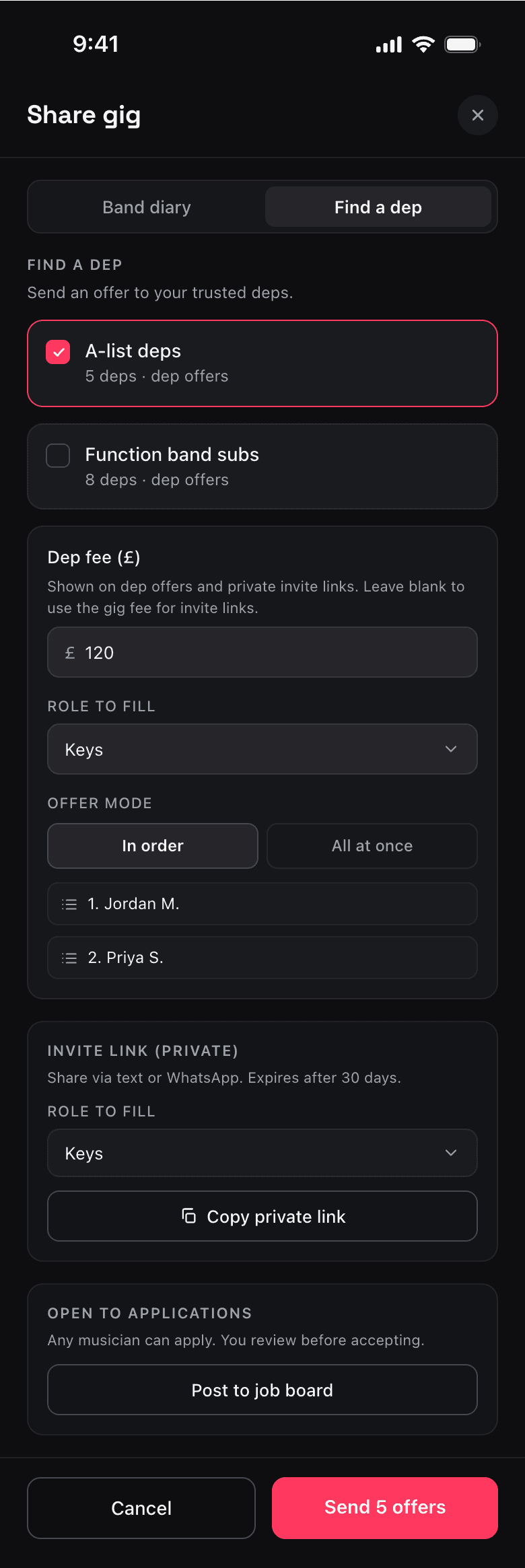
Small, reasonable features stack up fast until a single screen is doing way too much. That's what happened to my “Find a dep” tab—where band leaders fill last-minute slots. Over a few weeks, I built three different ways to solve the same problem:
- Send direct offers to a trusted roster.
- Copy a private invite link to send manually.
- Post the gig publicly to a job board.
With three completion paths fighting for attention, the screen had zero hierarchy.
01 Looking at the maths, not the vibe
To move past a vague “this feels busy” vibe, I ran my persona-based UX walkthrough skill to find the exact numbers driving the friction:
- 5 decisions before making any progress (tab → roster → fee → role → offer mode).
- 3 separate paths competing for attention with equal visual weight.
- 4 distinct concepts on screen at once (dep offers, broadcasting, private links, job boards).
Hard numbers remove subjectivity. It shifts the focus to objective friction affecting a time-poor user trying to solve a band emergency in 20 seconds.
02 Giving myself hard limits
Before opening the design canvas, I turned those friction points into a tight, measurable brief with three strict limits:
- Decisions before primary action:
≤ 3 - Primary path:
1obvious flow - New concepts on first render:
≤ 2
03 Running parallel variations
Using Claude alongside my Paper skills, I designed three layout variations in parallel, built directly on my real design tokens:
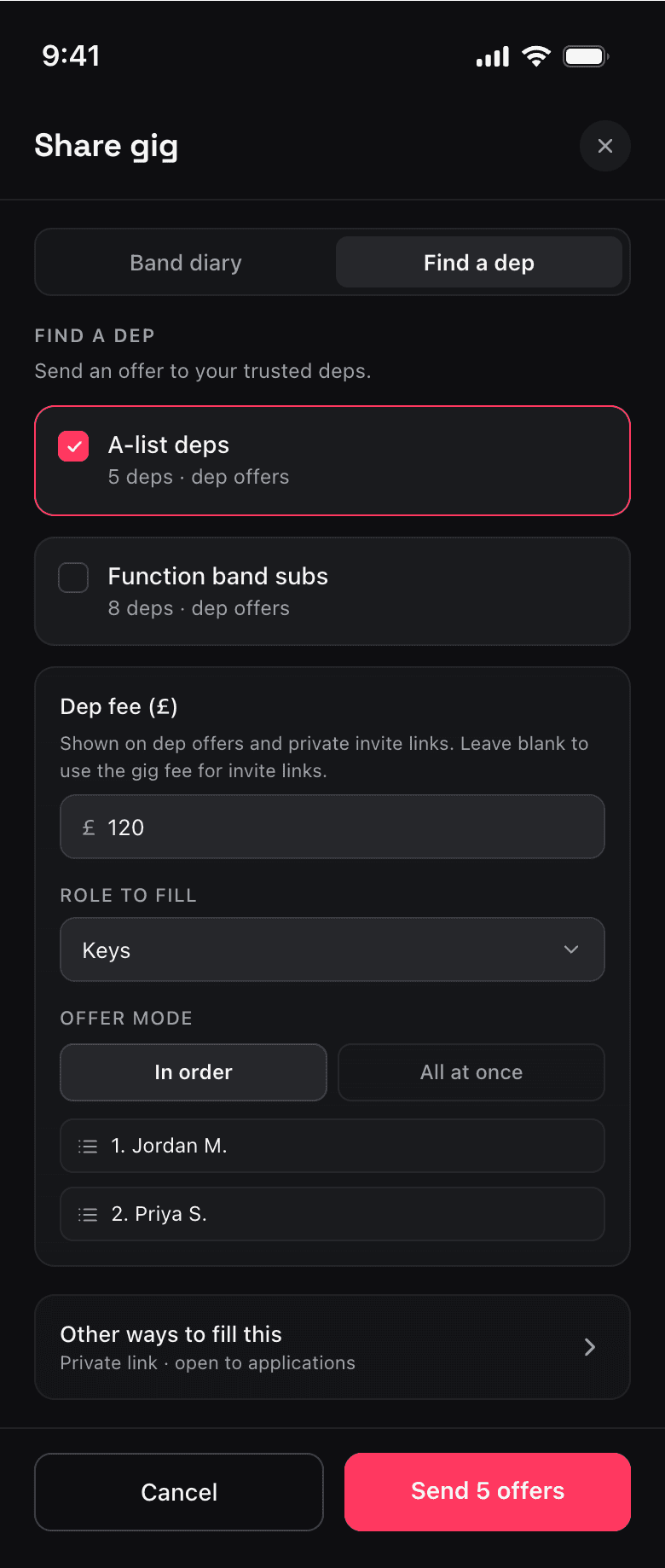
Option A (Disclosure): Keep the primary path dominant; collapse alternatives into a quiet “Other ways to fill this slot” row.
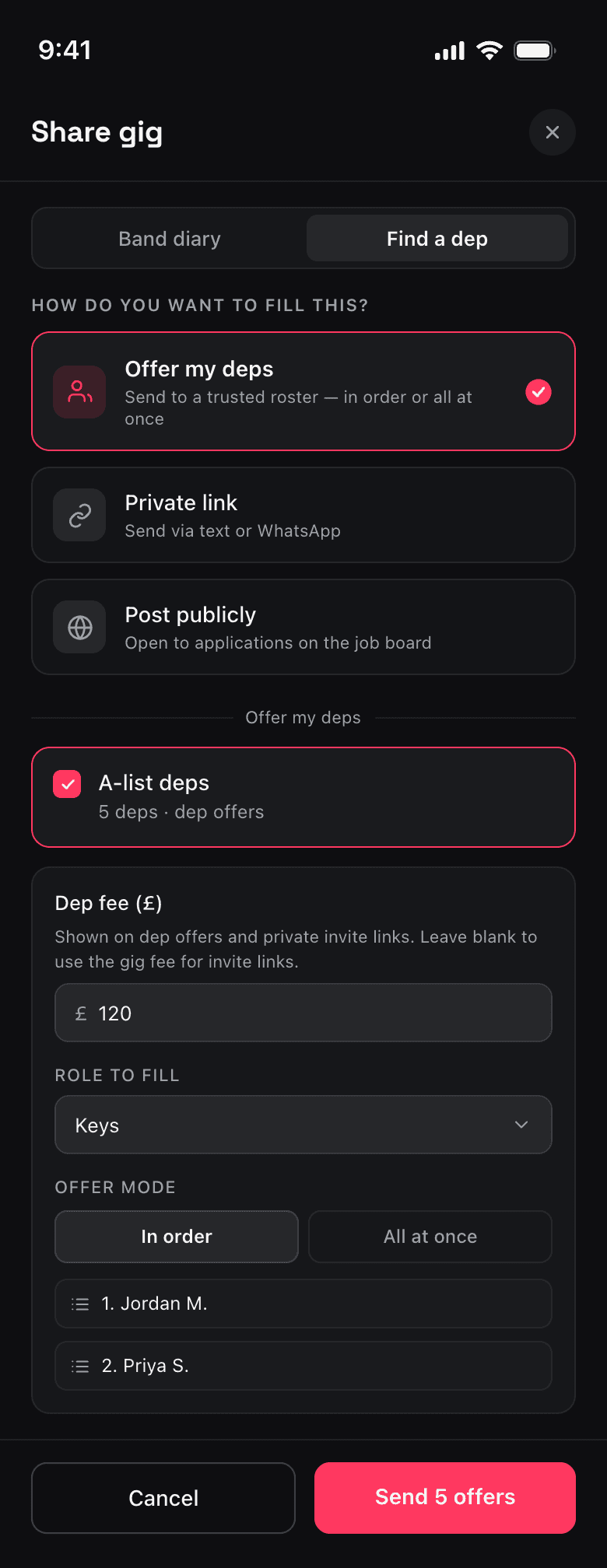
Option B (Routing): Choose the method first. Only render fields for that active path, keeping competing concepts separate.
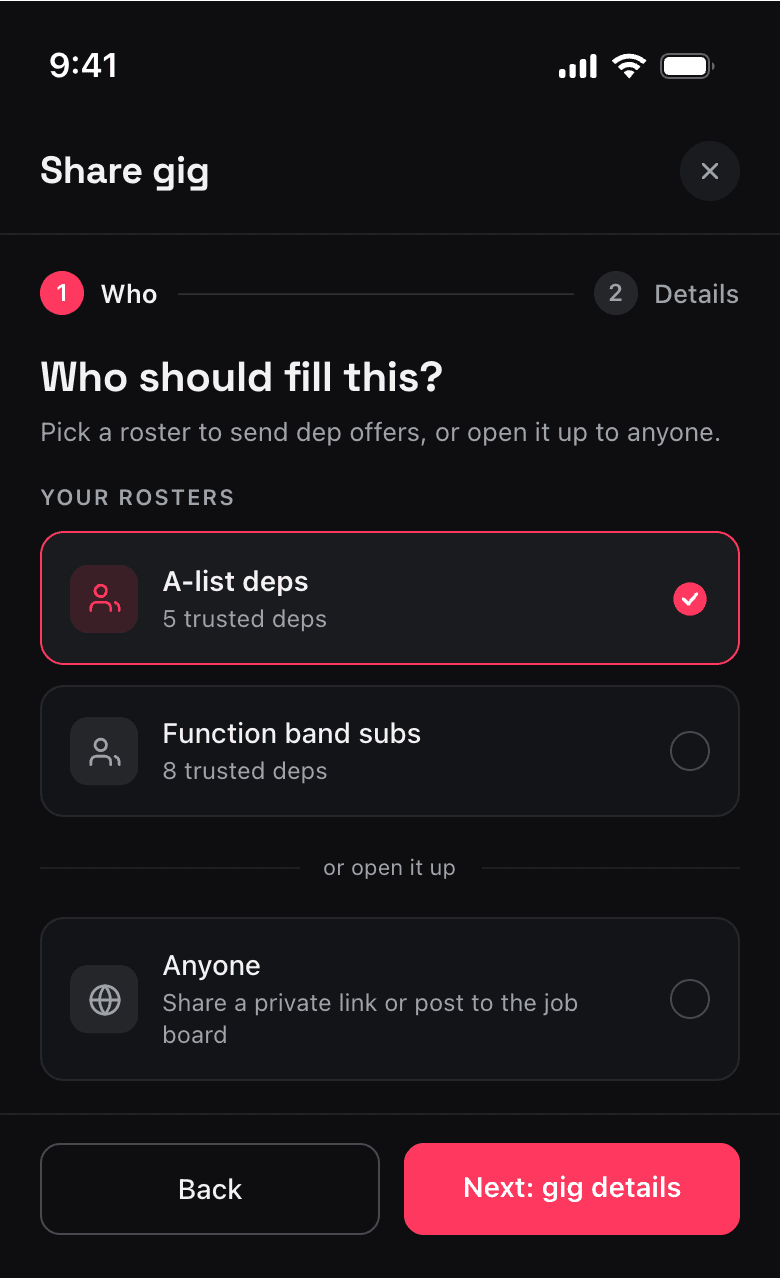
Option C (Wizard): Split the task into a two-step wizard—who you need first, details second.
04 Choosing the trade-off
Comparing them side-by-side on the canvas made the choice straightforward:
| Variant | Decisions | Competing Paths | Concepts On Screen | Verdict |
|---|---|---|---|---|
| Baseline | 5 | 3 | 4 | Cluttered & complex |
| Option A (Disclosure) | 3 | 2 | 2 | Solid fallback option |
| Option B (Routing) | 1 | 1 | 1 | Selected design |
| Option C (Wizard) | 2 | 1 | 1 | Too heavy for fast task |
- Option C (Wizard): Clean, but adding steps felt too heavy for a quick workflow. Dropped.
- Option A (Disclosure): Safest and easiest to build, hiding complexity behind a disclosure trigger.
- Option B (Routing): Best fit. It reframed the screen around the user's first logical question instead of a feature list.
I chose Option B as it matched the user's mental model best, keeping Option A as a validated engineering fallback.
05 The takeaway for solo builders
You don't need a research budget to keep your interface clean. You just need a repeatable system to stay honest:
Count the friction. Track the exact number of choices, paths, and competing concepts.
Design to thresholds. Establish hard guardrails (like “max 3 decisions”) before sketching.
Compare in parallel. View layout variations side-by-side so trade-offs are immediately visible.
The resources from this session are available: the UX walkthrough skill and my Paper skills. Run this loop on your own product, and let me know if it helps.